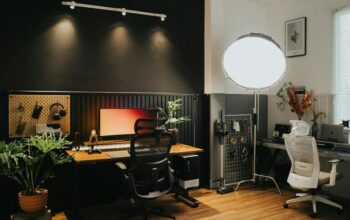
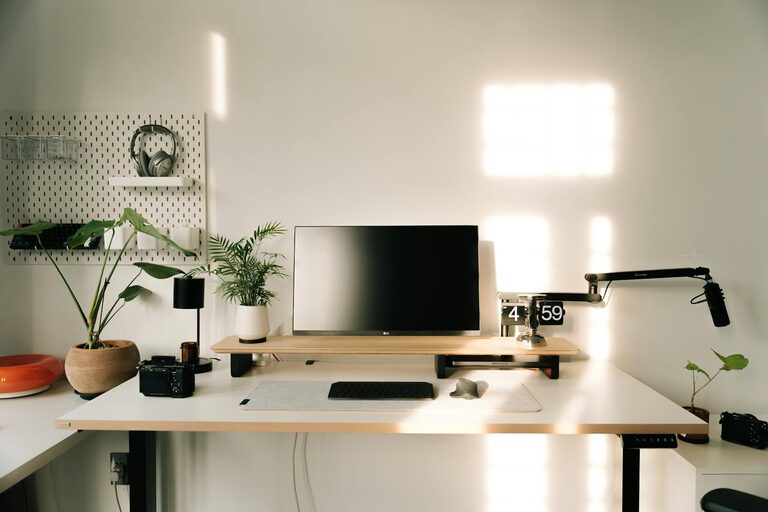
Creating an organized and productive home workspace can significantly improve your focus, efficiency, and overall work satisfaction. Whether you work remotely full-time or occasionally need a quiet spot to handle tasks, having a dedicated and well-arranged area is key. Below are practical tips to help you design a workspace that supports your workflow and keeps distractions to a minimum.
1. Choose the Right Location
Your workspace’s location sets the tone for productivity. Ideally, pick a quiet, low-traffic area of your home where you can focus without frequent interruptions.
– Natural light: If possible, position your desk near a window. Natural light can improve mood and reduce eye strain.
– Away from distractions: Avoid placing your workspace near televisions, busy hallways, or kitchens.
– Separate from relaxation spaces: Try not to work in your bedroom or on the couch to maintain clear boundaries between work and rest.
2. Invest in Comfortable and Functional Furniture
Working for extended periods requires furniture that supports good posture and comfort.
– Ergonomic chair: Select a chair that provides lumbar support and promotes good posture.
– Appropriate desk: Choose a desk that fits your space and meets your needs—include space for your computer, documents, and any tools you use regularly.
– Adjustable options: Consider height-adjustable desks or chairs to accommodate different positions throughout the day.
3. Keep Your Desk Organized
A clutter-free desk helps clear your mind and makes it easier to focus.
– Limit surface items: Only keep items you use daily on your desk.
– Use organizers: Drawer dividers, pen holders, and filing trays can keep supplies tidy.
– Regular decluttering: Set aside time weekly to clear unnecessary papers and items.
4. Optimize Technology Setup
Having your devices arranged efficiently helps reduce frustration and saves time.
– Cable management: Use clips, sleeves, or boxes to keep cords untangled and out of sight.
– Multiple screens: If your work requires it, adding a second monitor can increase productivity.
– Reliable internet: Ensure your internet connection is fast and stable to avoid interruptions.
5. Create an Inspiring Environment
Your surroundings impact your motivation and mood.
– Personal touches: Add photos, artwork, or plants to make your space enjoyable.
– Good lighting: In addition to natural light, use desk lamps with adjustable brightness.
– Reduce noise: Consider noise-canceling headphones or white noise machines if ambient sounds distract you.
6. Establish a Daily Routine
Structure helps maintain productivity and keeps your workspace functional.
– Set work hours: Define clear start and end times to separate work from personal life.
– Plan breaks: Regular short breaks can keep you refreshed and focused.
– Prepare at the end of the day: Tidy your workspace each evening, so you start fresh the next day.
7. Store Supplies Strategically
Having supplies within easy reach reduces interruptions.
– Use vertical space: Shelves or wall organizers can save desk space.
– Label storage: Clearly mark boxes or drawers so you can find things quickly.
– Keep frequently used items nearby: Store essential tools within arm’s reach.
8. Manage Digital Clutter
An organized digital workspace supports productivity just like a clean physical desk.
– Organize files: Use folders and consistent naming conventions.
– Limit desktop icons: Keep only shortcuts you use regularly.
– Use productivity apps: Tools like to-do lists and calendars can help manage tasks efficiently.
9. Prioritize Comfort and Health
Your workspace should support your physical well-being.
– Take stretching breaks: Move regularly to avoid stiffness.
– Hydration: Keep a water bottle nearby.
– Air quality: Ensure good ventilation or use an air purifier if necessary.
—
Creating a home workspace tailored to your needs is an investment in your well-being and productivity. By choosing the right location, keeping your desk organized, and incorporating ergonomic furniture, you set yourself up for success. Meanwhile, managing both physical and digital clutter, personalizing your space, and establishing healthy routines help make working from home a pleasant and efficient experience. Start implementing these tips today, and enjoy a workspace that motivates and supports your best work.