Creating a comfortable and organized home workspace can significantly improve your productivity and make working from home more enjoyable. When your work area is neat and thoughtfully arranged, it helps reduce distractions and keeps you motivated throughout the day. Here are some simple but effective tips to organize your home workspace for better productivity.
1. Choose the Right Location
Selecting a dedicated area for your workspace is the first step. Ideally, choose a quiet corner away from household traffic and distractions. Natural light can keep you energized, so try to position your desk near a window if possible. If you can’t find a completely separate room, use room dividers or screens to create a distinct work zone.
2. Keep Your Desk Clear and Functional
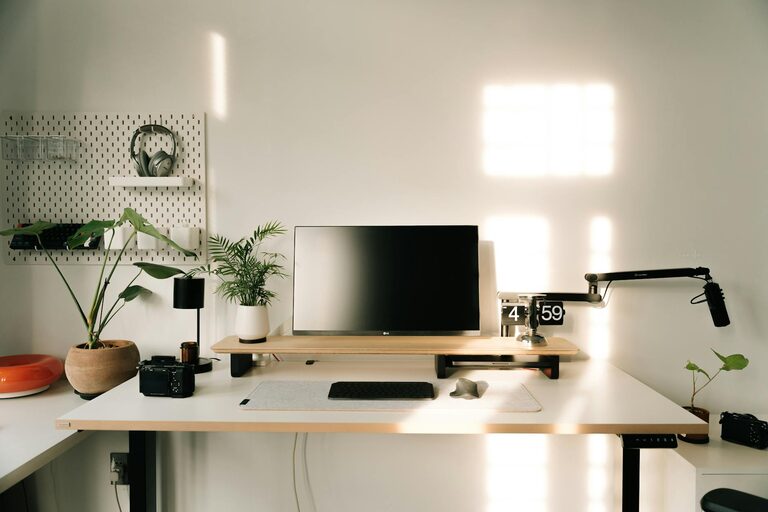
A cluttered desk can lead to a cluttered mind. Keep only essential items on your desk:
– Computer/laptop
– Notepad or planner
– A pen holder with frequently used stationery
– A small lamp or desk light
Store extra supplies in drawers or shelves to avoid overcrowding your work surface. If you struggle with paper clutter, consider using digital apps for notes and reminders instead.
3. Use Storage Solutions Wisely
Good storage helps keep your workspace tidy and organized. Here are a few ideas:
– Shelves: Open shelves above or near your desk can hold books, binders, or decorative plants.
– Drawers and Cabinets: Use these for files, cables, and other supplies you don’t need immediately.
– Trays or Organizers: Separate small items like paper clips and sticky notes.
– Cable Management: Use clips or cable sleeves to keep wires under control and out of sight.
4. Personalize Your Workspace
Adding a few personal touches can make your workspace more inviting and boost creativity. Use plants, artwork, or photos that inspire you. Just make sure not to overdo it, which might create unnecessary distractions.
5. Optimize Your Ergonomics
Comfort is key for long hours of work. Arrange your chair and desk so your back is supported, feet rest flat on the floor, and your computer screen is at eye level. An ergonomic mouse and keyboard can also reduce strain.
6. Establish a Daily Clean-Up Routine
Set aside 5-10 minutes at the end of each workday to tidy your space. Put away items, clear unnecessary papers, and wipe surfaces. This simple habit prepares you for a fresh start the next day and keeps clutter from building up.
7. Minimize Digital Distractions
Besides physical organization, managing your digital space matters too. Organize your computer desktop, unsubscribe from unnecessary emails, and use tools like focus apps or timers to stay on task.
8. Create Zones for Different Tasks
If your space allows, designate specific areas for different activities. For example, your computer area for focused tasks, a separate spot for brainstorming or reading, and a filing area for paperwork. This separation can help your brain switch gears more easily.
9. Use Proper Lighting
Good lighting reduces eye strain and helps maintain alertness. Combine natural daylight with artificial sources like an adjustable desk lamp. Avoid harsh overhead lights or glare on screens.
10. Keep Hydrated and Take Breaks
Though not directly about organization, keeping a water bottle at your desk encourages regular hydration. Also, schedule short breaks to stretch and move around, which can improve concentration and reduce fatigue.
—
Organizing your home workspace doesn’t have to be a daunting task. Implementing just a few of these tips can make a noticeable difference in your productivity and how enjoyable it is to work from home. Start small, and gradually adjust your setup until it perfectly suits your work style and needs. Happy organizing!